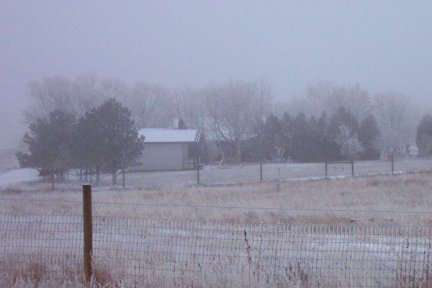
A mix of light snow showers and ice fog has left everything rimmed with white and crystal, with no significant accumulation.
Author: Elaine
Monument Creek
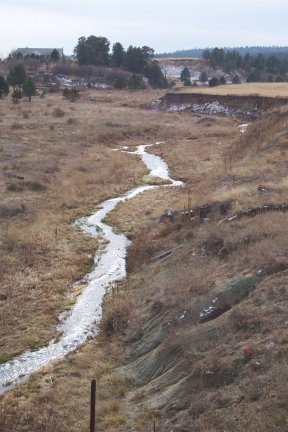
On the way out of the valley today, a long train stopped me on the bridge over Monument Creek. Since there was no other vehicle around, I got out of my car and took some photos. One can tell that this shot faces south because of the snow on the north facing sides of the bluffs in the background.
Sacred Ordinary
My friend celebrates her weblog’s first birthday at Sacred Ordinary
Never too old…
An Australia Shepherd provides evidence one is never too old in my sister’s weblog Slice of Life.
Google and Firefox
A CNET article called Google star of Firefox’s new browser discusses the use of a Google home page in the newly released Firefox 1.0. (This post is a test of the JustBlogIt extension.)
WordPress 1.3
Last night I upgraded to the beta version of WordPress 1.3. I broke plugin handling in the process, but decided to press on with 1.3 rather than back it out. Yes, the look has changed a bit: I am trying to make Five Acres work better in terminal with low resolutions by paring away some of the frills.
Firefox
QuickNote is a Mozilla/Firefox extension that sets up a sidebar for taking notes. It will allow you to gather selected text along with the url.
Jack and were comparing which Firefox we load this morning, and he recommended AdBlock. I asked, “Why don’t you just right click on the image and block the images from the server?” He wasn’t aware of that function, so I tried to find an image to demonstrate. I had to go to seven sites before I found some that weren’t already blocked, including my.yahoo.com, cnn.com, and ustoday.com. I don’t block ad servers until they serve flashing advertisements, so I guess they are fairly common.
I really hate flashing advertisements.
Smoke
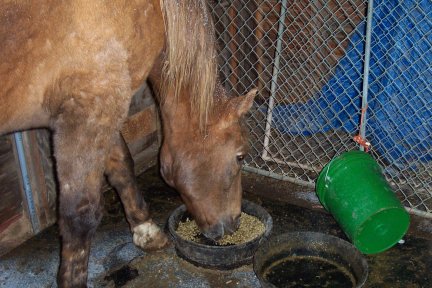
I have been trying to get a photo of Smoke in his new dining area, but it requires flash photography for which Smoke has a very low tolerance. After two flashes, he stalks out of the area in disgust. That white stuff on his mane is snow, not an artifact.
Fedora Core 3
This afternoon, Fedora Core 3 will be officially released. I have been running the final release candidate for over a week now, and am quite pleased with it.
I can now drop my digital camera in its cradle, and push the button, and a menu will pop up asking whether I want to download my photos, opening gThumb to view and manipulate the photos. (This is a features of the Gnome desktop.) Also new to Fedora Core is the presense of Firefox 1.0 and Thunderbird .8 as part of default distribution. After a few days of using FC3, I read the Release Notes.
Yesterday, as an impulse item, Jack picked up a 128M Micro Advantage memory stick at OfficeMax. I just plugged it into a cable, and an icon popped up on my desktop allowing me to browse the empty device. Then I dragged a few folders to it and everything just worked as desired.
It is very odd to think that a small device that weighs almost nothing can hold six times as much data as the hard drive on our first Intel machine, an XT clone.
OpenOffice.org and labels
Garry Knight’s Linux Stuff has a useful looking tutorial for creating flat file databases using OpenOffice.org, along with some other Linux stuff. Evidently, you can create and populate dBase format files from OpenOffice.org.
I spent yesterday coaxing OpenOffice.org to produce labels on our aging laser printer (ActionLaser 1500, a LaserJet III clone), but used a spreadsheet as a data source. Making the labels was not particularly intuitive, but the documentation included with OpenOffice.org worked. I printed the labels one page at a time because our printer’s feed mechanism is almost worn out, and tends to jam when presented with anything other than plain text weight paper. I plan to retire the printer when the current toner cartridge empties or the printer jams so badly I can’t free it, but it just keeps going and going. Those old laser printers were tough little beasties, unlike the current crop of inkjet printers that look like they would blow away in a mild breeze.
There seems to be a bug (or at least a distinct lack of flexibility) in using OpenOffice.org to make more than one page of labels. I managed to do, but the label synchronization process slowed to a crawl. It wasn’t a big issue, because of our printer limitations, but would be annoying if you had a more functional printer.